A beautifully designed home office can quickly lose its polished look when charging cables, power cords, and computer wires are tangled across the floor. Even the most stylish desk setup can feel cluttered when cords are hanging from every corner.

The good news? You don’t need to renovate your office or spend a fortune to fix the problem. With a few clever cable-management ideas, you can keep wires organized, protect them from damage, and create a workspace that looks cleaner and feels more relaxing.

Whether you’re dealing with laptop chargers, monitor cables, extension cords, or an entire collection of tech accessories, these 20 genius ways to hide cords in your home office will help you create a neat, professional-looking workspace.
1. Install an Under-Desk Cable Tray
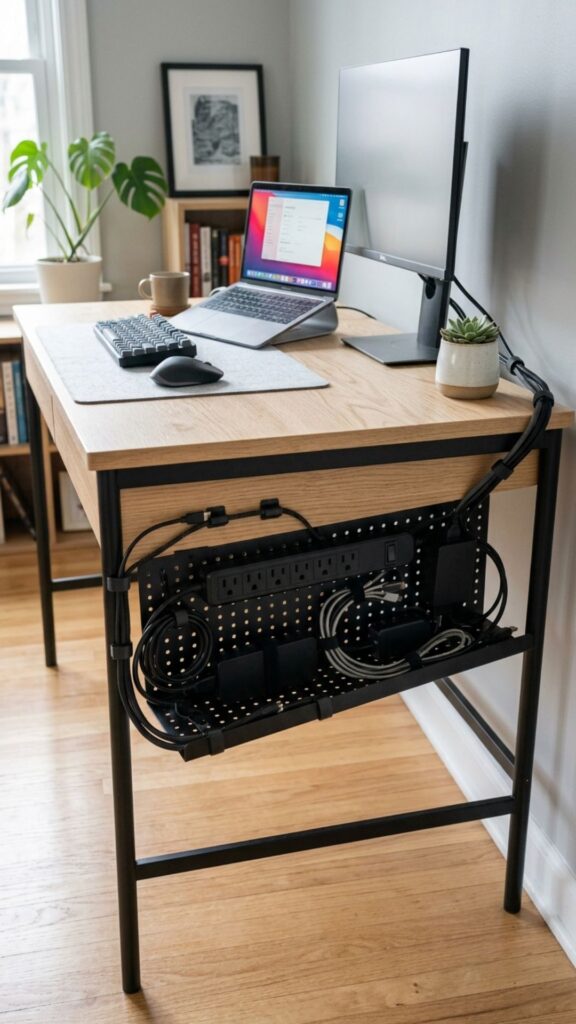
An under-desk cable tray is one of the easiest ways to manage several cords at once. It attaches underneath your desk and holds power strips, chargers, and extra cable lengths out of sight.
Instead of having wires hanging behind your desk, you can route everything through the tray and keep only the necessary portions visible.
For the cleanest result, mount the tray toward the back of your desk where it can’t easily be seen.
2. Mount Your Power Strip Under the Desk
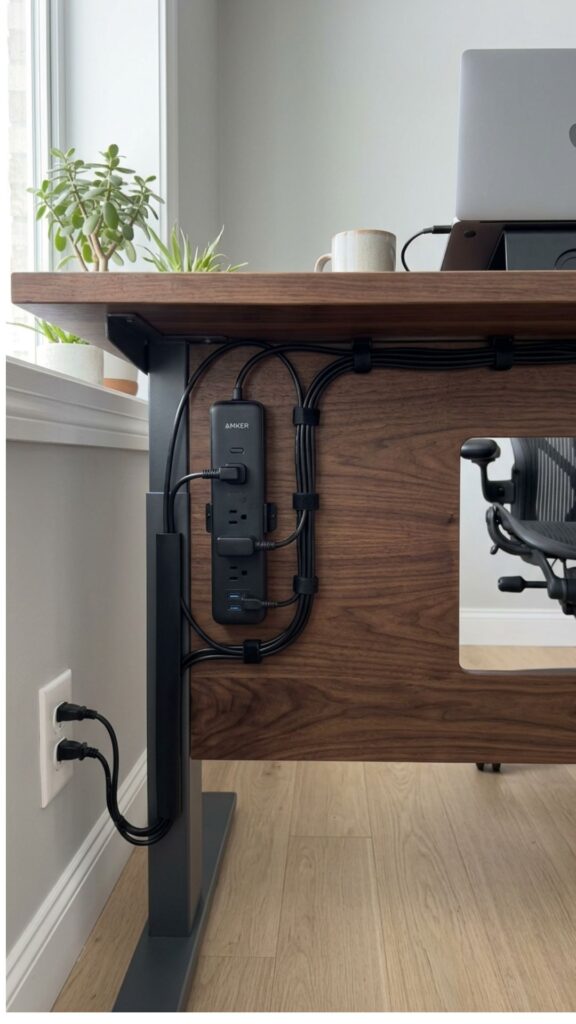
Power strips are often one of the biggest sources of cable clutter. Rather than leaving yours on the floor, attach it underneath your desk.
You can use screws, mounting brackets, or heavy-duty adhesive strips depending on the design of your desk.
Once mounted, plug your computer, monitor, lamp, and chargers into it and guide the remaining cord toward the nearest outlet.
3. Use Cable Management Sleeves
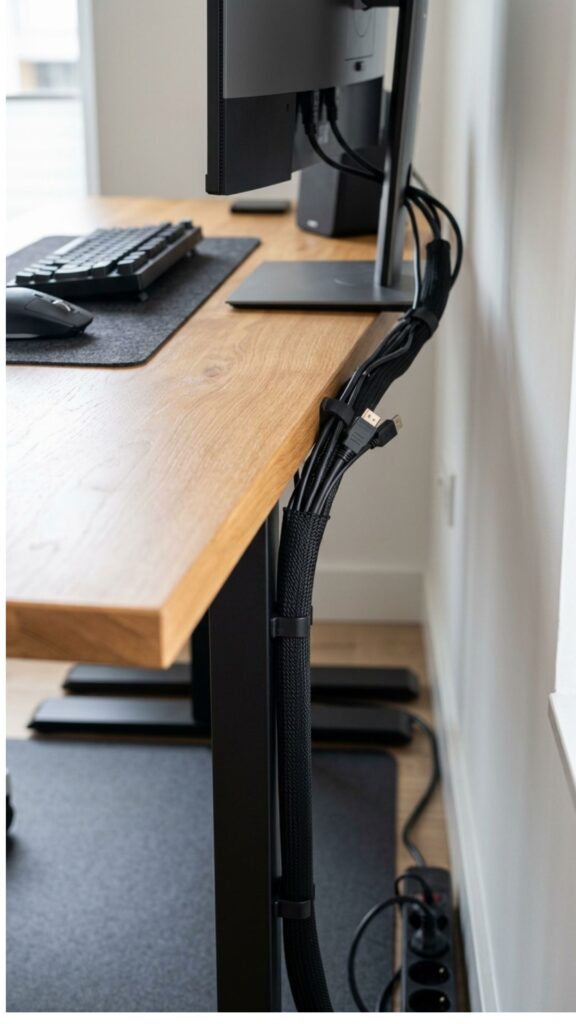
If several cords travel in the same direction, bundle them together with a cable management sleeve.
These flexible covers wrap around multiple wires and transform a messy collection of cables into one neat line.
Cable sleeves are especially useful for standing desks, gaming setups, or offices with several monitors.
4. Attach Cable Clips Along the Desk
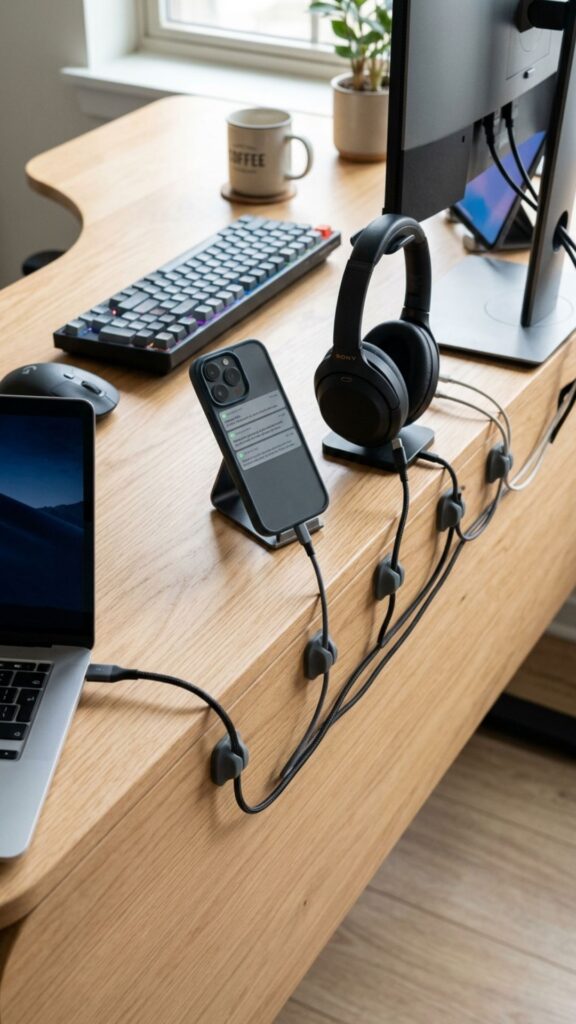
Small adhesive cable clips can make a surprisingly big difference.
Stick them underneath or along the back edge of your desk to guide charging cords exactly where you want them.
They’re especially helpful for phone chargers and laptop cables that constantly slide onto the floor when they’re unplugged.
5. Hide Cords Inside a Cable Management Box
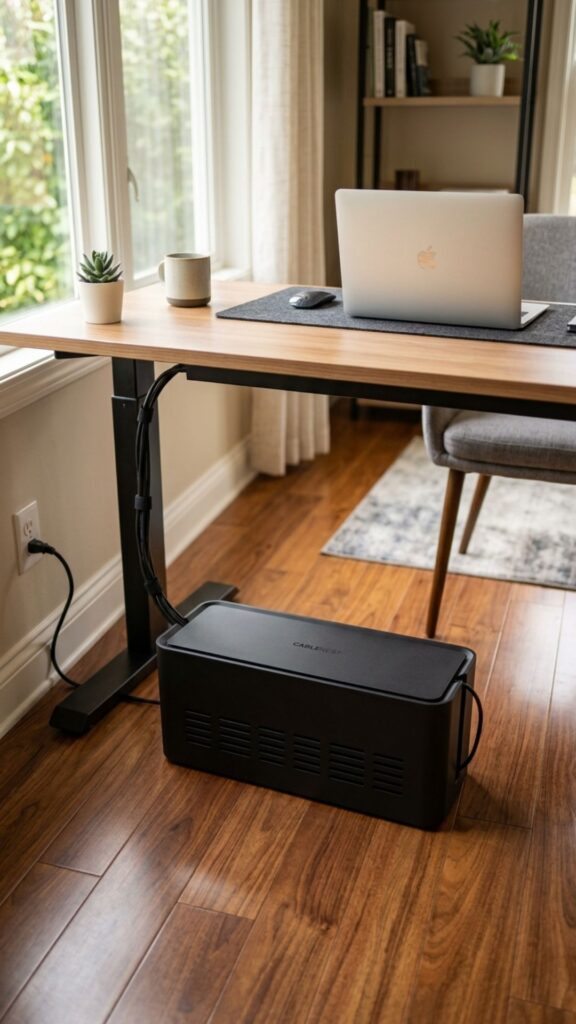
A cable management box is perfect for hiding bulky power strips and charging adapters.
Simply place your power strip inside the box and feed the cables through the openings.
The result is a much cleaner look, especially if your power strip has to remain visible beside or underneath your desk.
6. Run Cords Through a Wall Cable Raceway
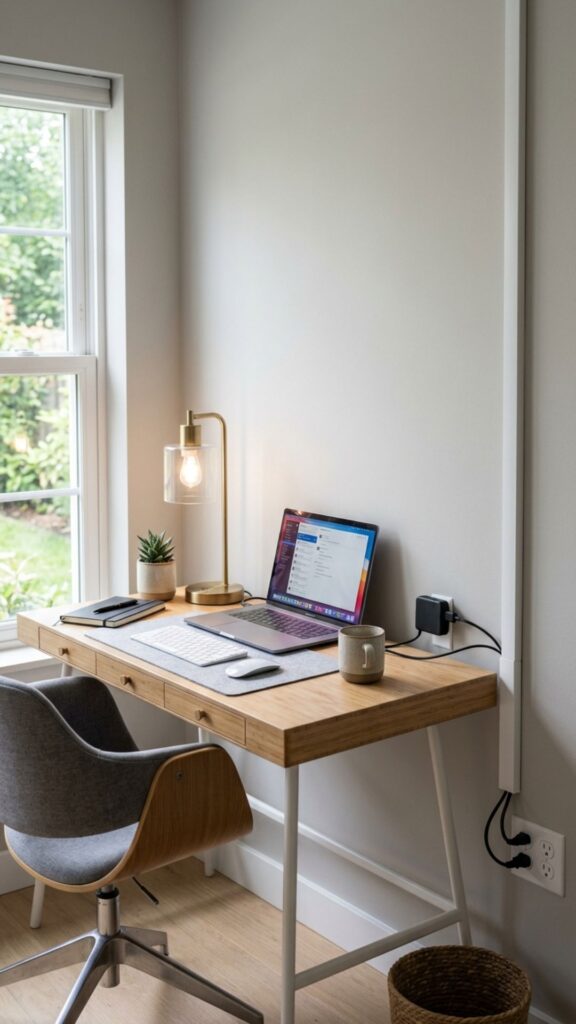
When cords need to travel along a wall, cable raceways offer a tidy solution.
These slim channels attach directly to the wall and hide the wires inside. Many can also be painted the same color as your wall, making them almost disappear.
They’re ideal for desks located several feet away from the nearest outlet.
7. Use Cord Covers Along the Floor
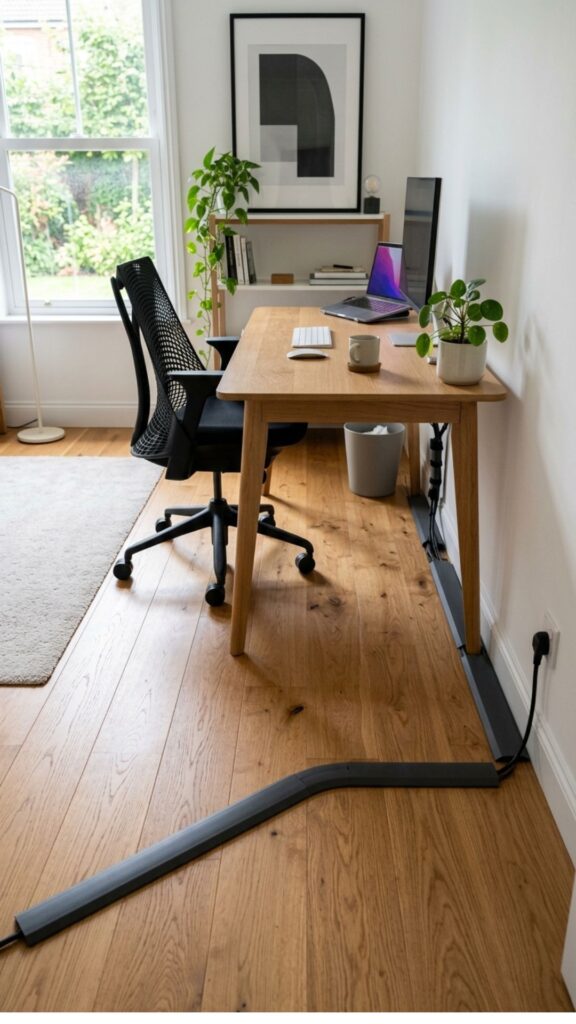
Sometimes running a cord across the floor is unavoidable.
In that situation, use a low-profile floor cord cover. It hides the cable while also reducing the risk of tripping over loose wires.
This can be particularly useful in larger offices where your desk isn’t positioned directly against a wall.
8. Route Cables Behind Desk Legs
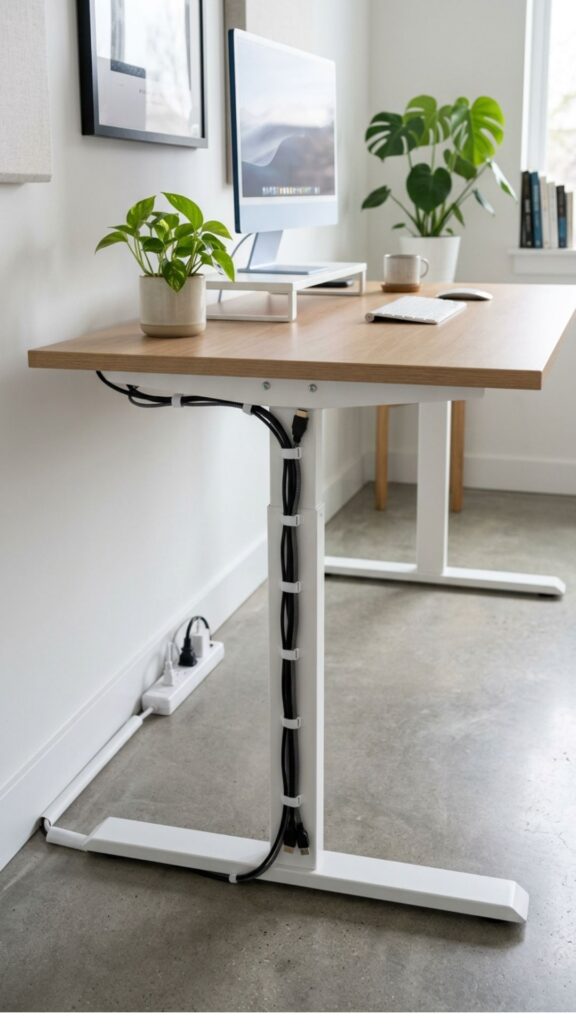
Take advantage of your furniture when hiding cords.
Guide cables down the back of a desk leg instead of allowing them to hang freely. Secure them with reusable cable ties or discreet clips.
When the cords follow the shape of the furniture, they become much less noticeable.
9. Use Velcro Cable Ties
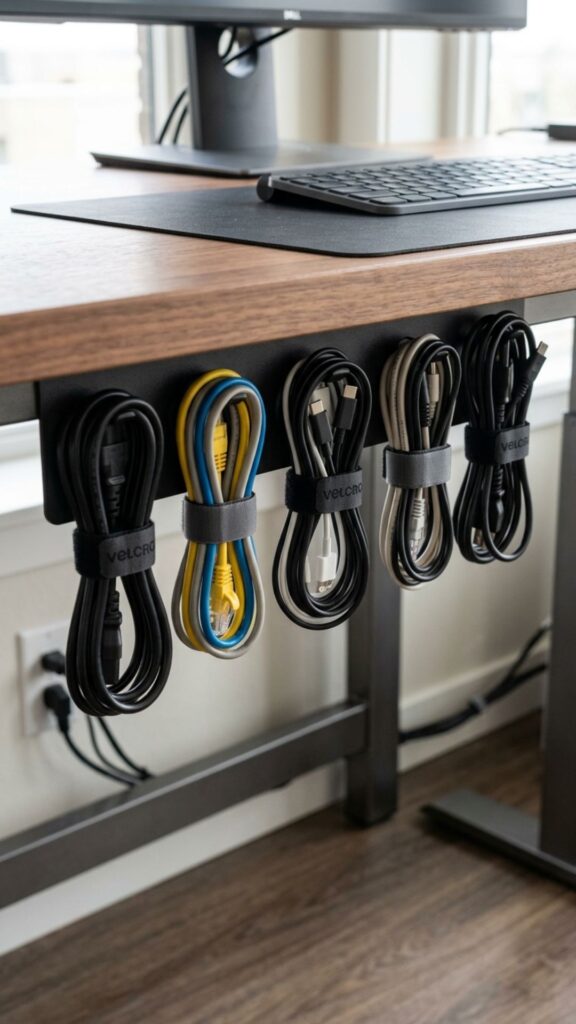
Velcro cable ties are one of the simplest and most affordable cable-management tools you can buy.
Use them to bundle extra cord length, group similar cables, or secure wires to desk frames.
Unlike plastic zip ties, Velcro versions can be opened and reused whenever you rearrange your equipment.
10. Add a Desk Grommet
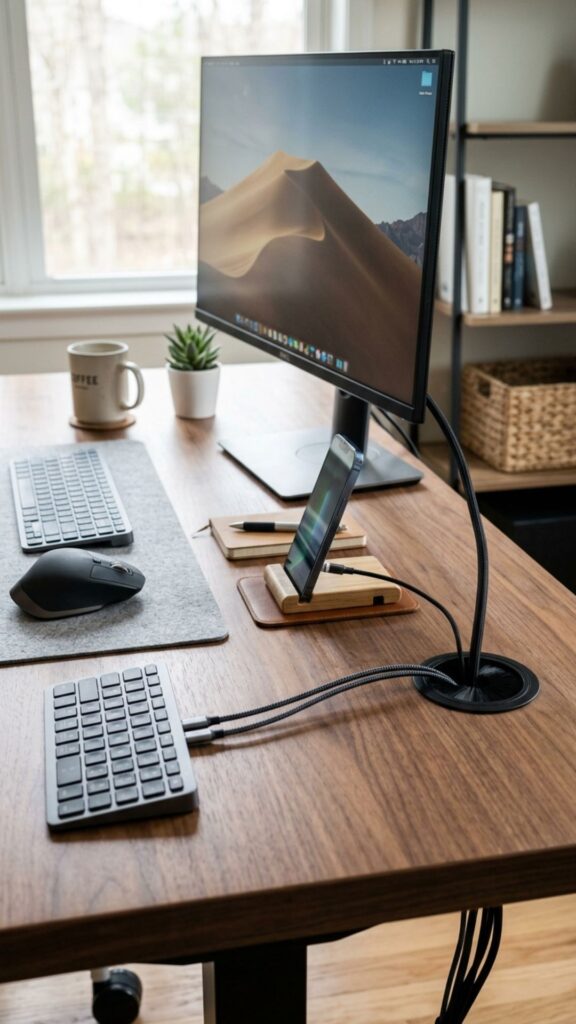
If your desk has a suitable surface, consider adding a cable grommet.
A grommet creates a small opening in the desktop where cords can pass through instead of wrapping awkwardly around the back.
Many office desks already include grommet holes, but aftermarket versions are also available.
11. Hide Cords Behind a Pegboard
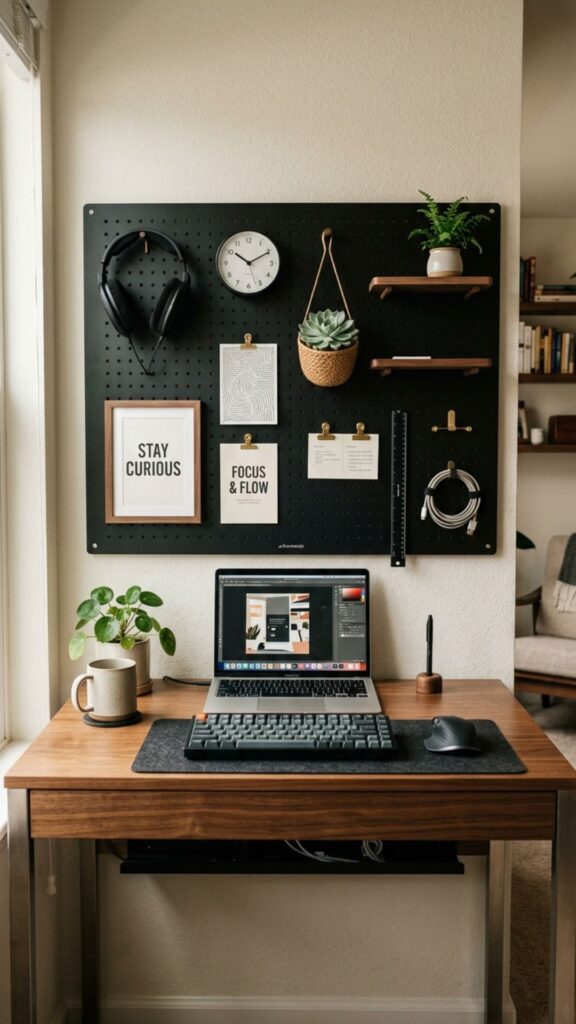
Pegboards aren’t just useful for storing office supplies.
Mount one behind your desk and use the space behind it to route cables. Hooks and accessories can also hold headphones, chargers, and small electronics.
The front remains decorative and functional while the mess stays hidden behind it.
12. Create a Charging Drawer
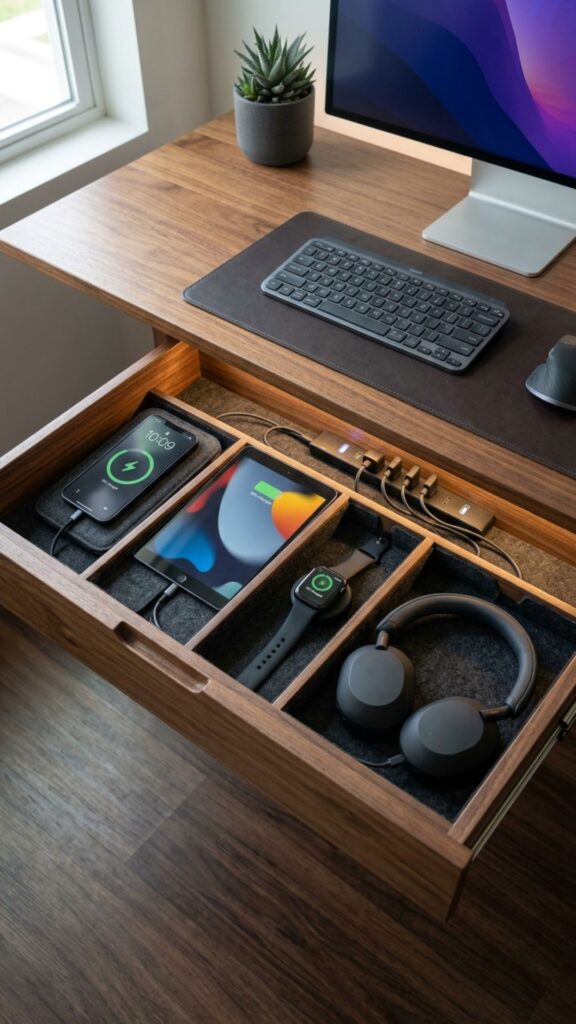
Instead of keeping phone, tablet, smartwatch, and headphone chargers scattered across your desk, turn a drawer into a charging station.
Place a charging hub or power strip inside and organize the cables with small clips.
Just make sure there is sufficient ventilation and that cords aren’t tightly pinched when the drawer closes.
13. Place Your Desk Closer to an Outlet
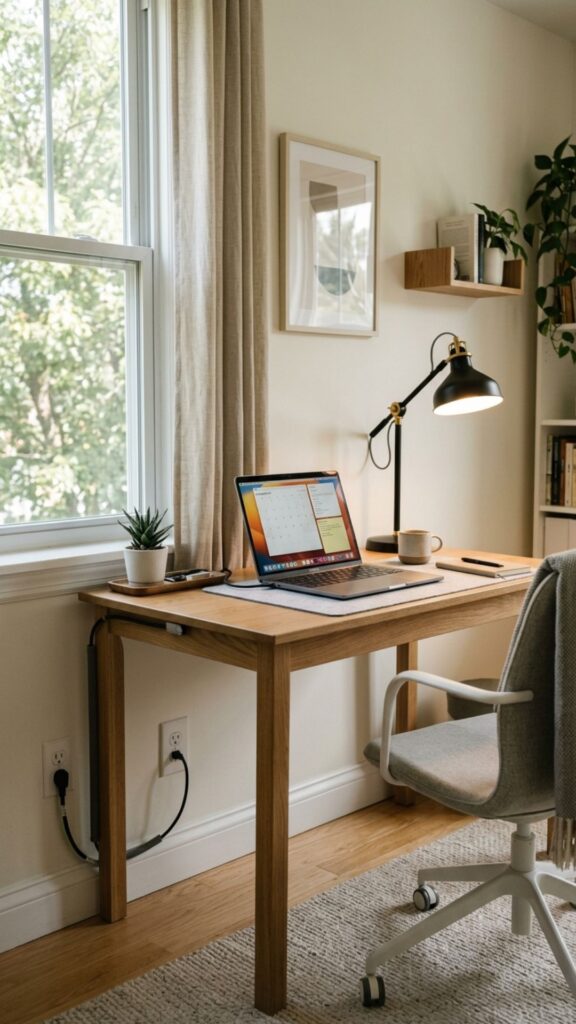
Sometimes the smartest cable-management solution is simply rearranging your furniture.
Positioning your desk near an outlet can dramatically reduce the amount of exposed wiring required.
You’ll need fewer extension cords and can keep most cables hidden behind the desk.
14. Hide Cables Behind a Desk Back Panel
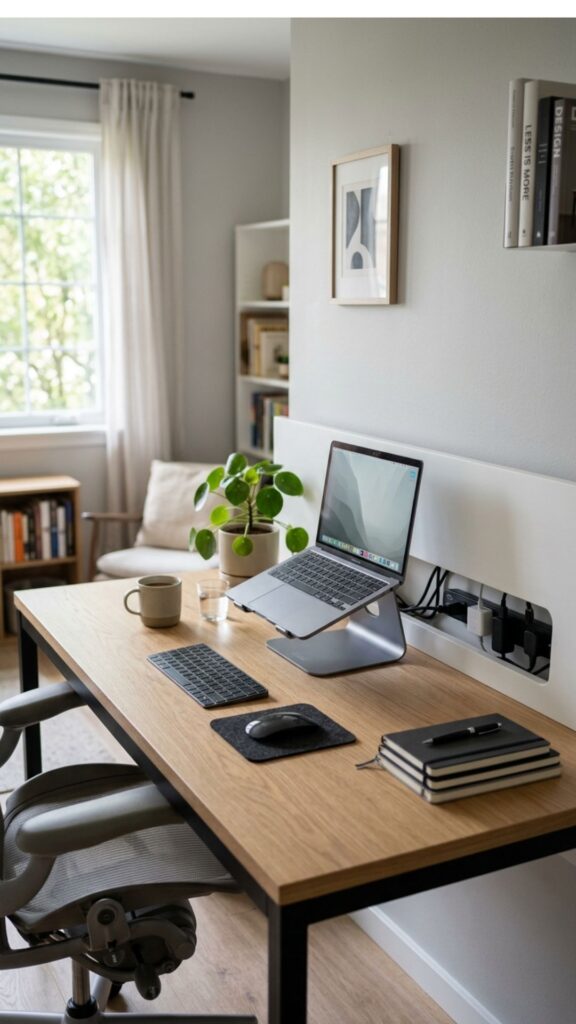
If your desk has an open back, consider attaching a simple back panel.
The panel creates a visual barrier that hides cords, adapters, and power strips from view.
This trick is especially useful when your desk faces the center of the room rather than a wall.
15. Use Baseboard Cable Channels
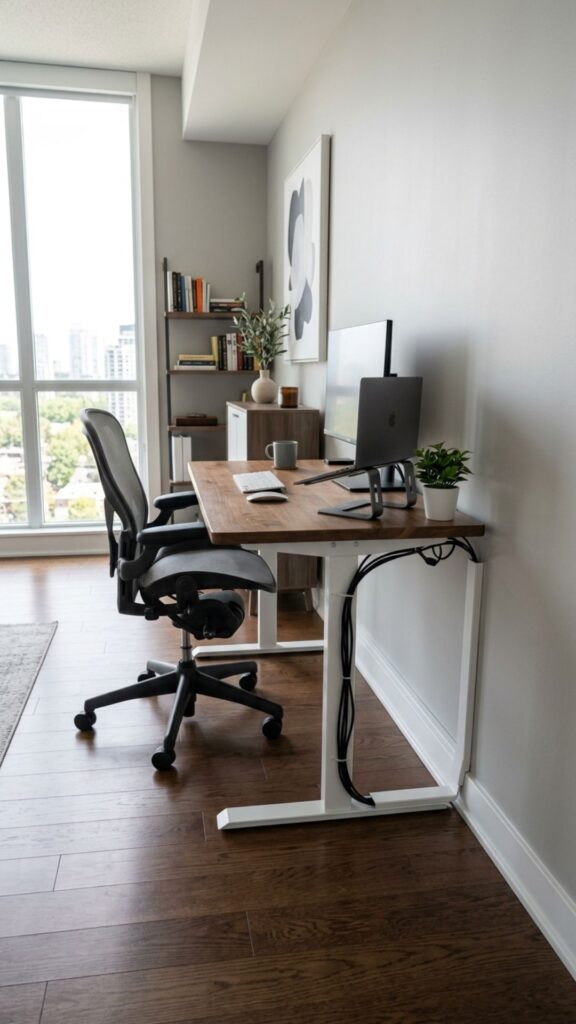
Need to run cables around the perimeter of your office?
Install cable channels along your baseboards.
Because the channels follow an existing architectural line, they tend to blend naturally into the room. Paintable versions can become even less noticeable.
16. Choose Wireless Accessories
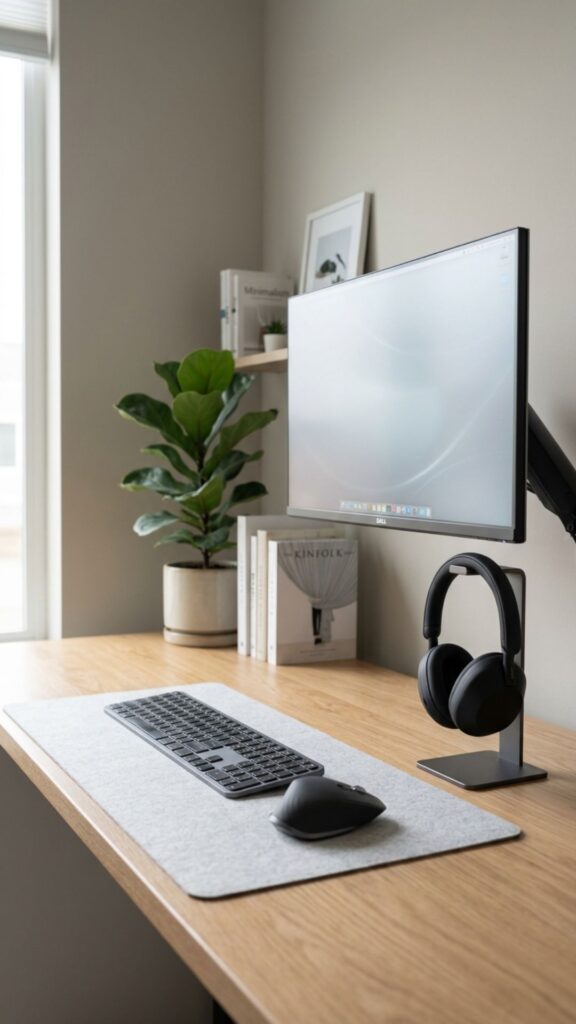
One of the easiest ways to hide cords is to eliminate some of them entirely.
Consider switching to a wireless keyboard, mouse, headphones, or printer.
You may still need occasional charging cables, but you’ll significantly reduce the number of permanent wires surrounding your desk.
17. Use a Monitor Arm With Cable Management
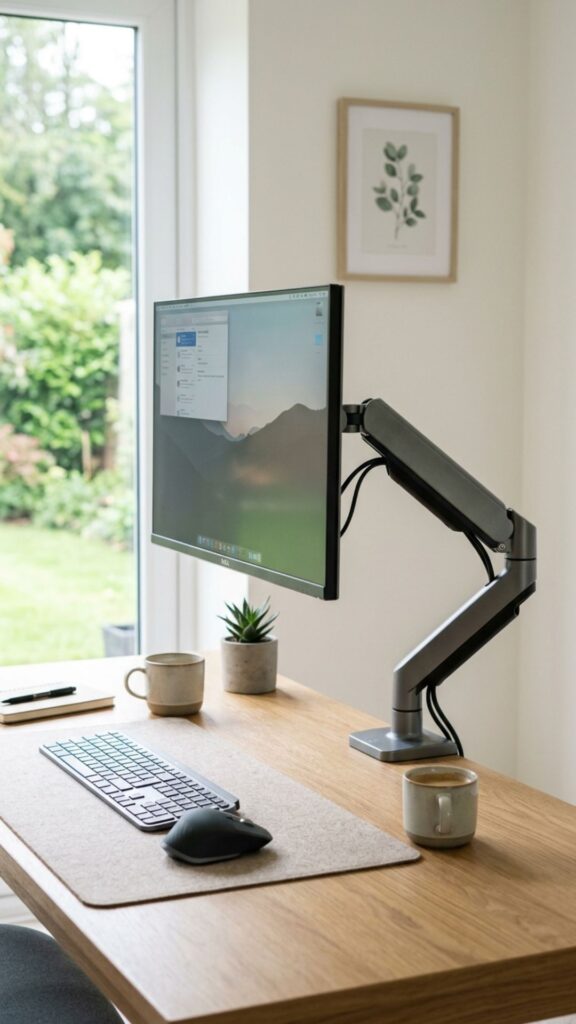
A monitor arm can improve both ergonomics and cable organization.
Many monitor arms include built-in channels or clips that allow power and display cables to run neatly along the arm.
It keeps cords elevated and makes your desktop feel much more open.
18. Hide Extra Cable Length Behind Furniture
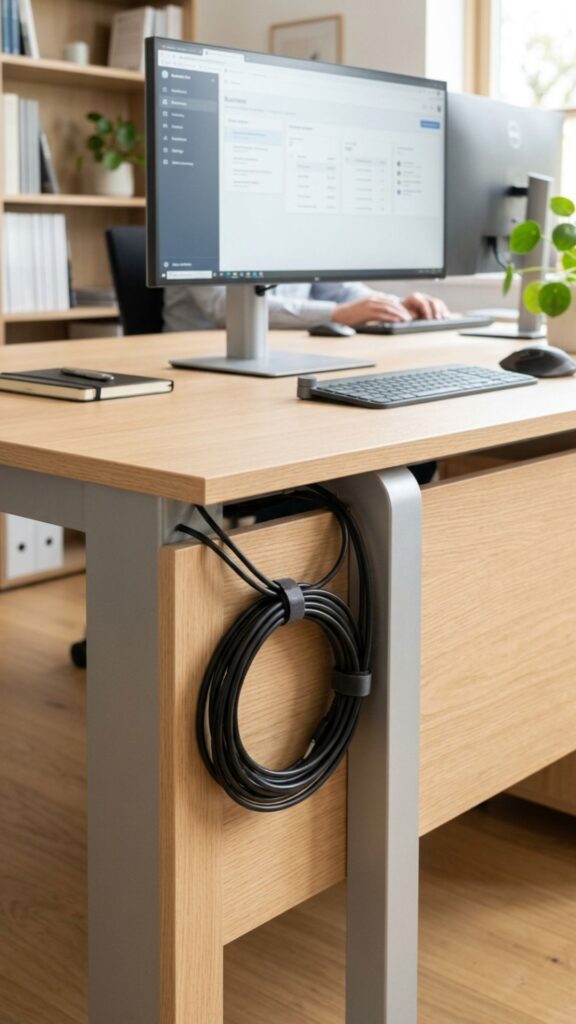
Long cables often create unnecessary clutter.
Instead of letting excess wire pile up on the floor, loosely coil it and secure it with a reusable cable tie.
Then tuck the bundled section behind a cabinet, desk, or other piece of furniture.
Avoid wrapping cables too tightly, as this can place unnecessary stress on them.
19. Label Your Cords
Labels may not physically hide cables, but they can make your entire setup easier to maintain.
Add a small label near each plug identifying devices such as your monitor, laptop dock, printer, and desk lamp.
The next time you need to unplug something, you won’t have to trace every cable through the bundle.
20. Create One Central Cable Route
The cleanest home offices usually don’t have cords traveling in several different directions.
Choose one primary route for your cables—such as underneath the desk, down one desk leg, and then toward the outlet.
Use trays, clips, sleeves, and cable ties to keep everything following that route.
When all your wires move together, the entire office instantly looks more intentional and organized.
Conclusion
Cord clutter might seem like a small detail, but it can have a big impact on how your home office looks and feels. Tangled wires make a workspace appear busier, collect dust, and can even create frustrating obstacles when you’re trying to clean or rearrange your setup.
Fortunately, you don’t need complicated renovations to solve the problem. Simple additions such as cable trays, cord sleeves, clips, raceways, and reusable ties can transform even the messiest collection of wires.
Start with the area that bothers you most, then gradually organize the remaining cables. Before long, your home office can feel cleaner, calmer, and far more professional—with hardly a cord in sight.
What is the easiest way to hide office cords?
An under-desk cable tray combined with cable clips is one of the easiest ways to keep cords organized and out of sight.
How can I hide cords without drilling?
Use adhesive cable clips, Velcro ties, cable sleeves, and removable cable raceways.
How do I hide a power strip under my desk?
Mount it underneath the desktop using a compatible bracket or strong mounting strips, then organize the connected wires with cable ties.
How can I hide cords running across the floor?
Use a low-profile floor cord cover designed to protect cables and reduce tripping hazards.
How can I make my desk look completely wireless?
Use wireless accessories, mount your power strip underneath the desk, bundle cables together, and route the remaining wires down a hidden desk leg.